Architecture
Host shell boundaries, runtime layers, startup model, and how Explorer fits into the workspace.
Explorer is the static workspace agent that gives a Ploinky workspace its main user-facing IDE surface. It combines filesystem access, editing, preview, and runtime plugin hosting so the rest of the workspace agents can expose their capabilities inside one application shell.
A Ploinky workspace needs one stable surface where a user can browse files, open documents, inspect previews, edit source, and trigger domain-specific actions without manually switching between separate agent interfaces. A plain file browser is too narrow for that role, while a domain-specific agent should not take ownership of the whole workspace shell. Explorer exists to solve that boundary: it owns the IDE shell, while agents such as dpuAgent, gitAgent, llmAssistant, soplangAgent, tasksAgent, multimedia, webAdmin (external repo), and webAssist keep ownership of their own domain logic.
In practice, that means Explorer has to combine several responsibilities that would otherwise drift apart: filesystem navigation, content-aware preview, normal Markdown source editing, explicit SOPLang tag editing for structured documents, general-purpose text/code editing, and runtime plugin hosting. The result is broader than a file explorer but intentionally narrower than a monolithic backend. Explorer is the host application for the workspace, not the owner of every workflow that appears inside it.
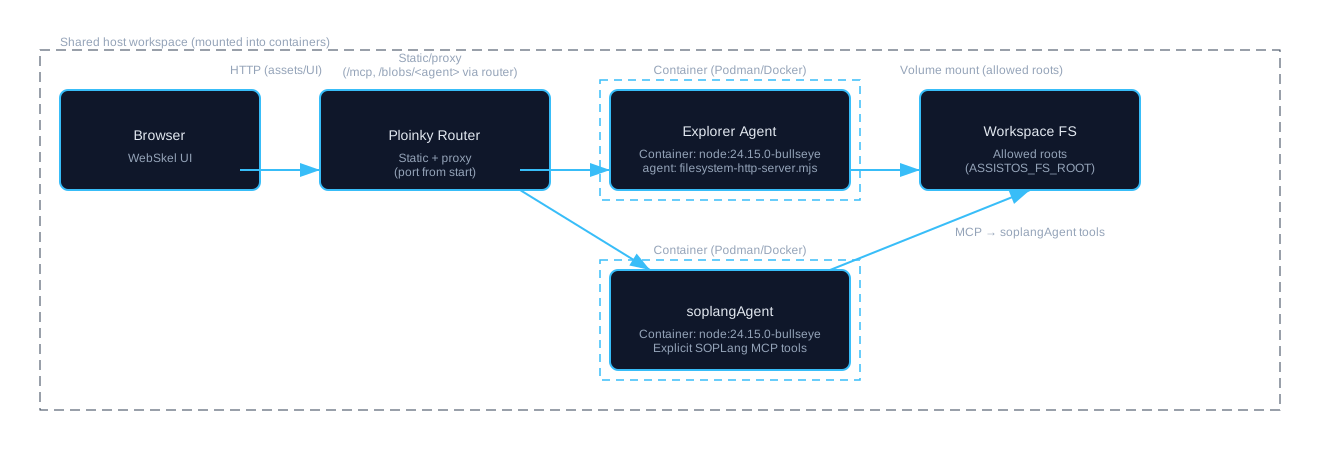
Explorer runs as the static agent of the workspace and serves the main web UI through the Ploinky router. Inside the agent, the WebSkel frontend handles navigation, editing surfaces, and runtime component loading, while the Explorer backend exposes filesystem MCP tools on /mcp and enforces the configured allowed roots.
That host shell is extended rather than replaced. Runtime plugins are discovered from enabled agent-owned or repo-local IDE-plugins/*/config.json folders in the workspace, then application-category plugins are filtered by Explorer's applicationPlugins policy before they are mounted into the UI. This keeps Explorer responsible for layout, routing, and shared interactions, while dependent agents remain responsible for permissions, state, and domain-specific mutations.
The startup model follows the same separation. ploinky start explorer starts the dependency agents declared in explorer/manifest.json -> enable[] in parallel, waits for readiness of every dependency plus Explorer itself, and only then reports the workspace ready. Explorer is therefore documented as ready only when the rest of the workspace functionality it depends on is also available.
Once the workspace is running, Explorer presents a single application shell across several resource classes. Normal files and directories are browsed through the filesystem tools. Markdown opens as readable preview and edits as normal Markdown source by default through the embedded editor. When a document needs Achilles/SOPLang metadata, chapters, paragraphs, references, variables, or commands, the user enters that structured workflow through the explicit SOPLang tag editing action. Other text and code files use the general editor with syntax highlighting. Media, HTML, backlog data, and DPU-backed resources each route into the preview or editing mode that matches their contract.
Everyday use is therefore organized around selection and context. Directory navigation, rename/copy/move/delete flows, find and replace, preview toggles, Git actions, and plugin entry points all adapt to the current file, document node, or virtual resource. Explorer does not implement Git, DPU, SOPLang, tasks, or assistant logic internally; it exposes those capabilities through the host UI and forwards domain work to the owning agents.
To run the current workspace variant, enable the repo and global Explorer agent, point the filesystem root to the workspace, and start Explorer on the router port you want to use:
ploinky enable repo AchillesIDE
ploinky enable agent AchillesIDE/explorer global
export ASSISTOS_FS_ROOT=<path-to-workspace>
ploinky start explorer 8080
# dashboard: http://127.0.0.1:8080/dashboard
# explorer UI: http://127.0.0.1:8080/#file-exp/
Set ASSISTOS_FS_ROOT or MCP_FS_ROOT to the workspace path you want to expose. For HTML documentation preview, Explorer uses repo-scoped static paths such as /.ploinky/repos/AchillesIDE/docs/development.html rather than flattening files to a shared /docs/ namespace.
Host shell boundaries, runtime layers, startup model, and how Explorer fits into the workspace.
Markdown source editing, structured SOPLang tag editing, hydration, and document-side behavior.
Discovery, runtime mounting, ownership boundaries, and how Explorer hosts plugin UI without owning domain logic.
Filesystem MCP enforcement, path constraints, and the backend responsibilities that stay inside Explorer.
The diagram below is the compact reference for the runtime relationship between browser, router, Explorer, and the workspace resources Explorer exposes.
This website is the documentation entry point for the AchillesIDE workspace. It must keep direct references to the local documentation for every enabled or coupled agent, plus the Ploinky runtime specifications that define routing, guest access, HTTP service declarations, secure-wire invocation, and security boundaries.
| Area | Documentation References |
|---|---|
| Explorer workspace | Explorer docs, Explorer spec matrix, Explorer agent guide |
| Ploinky runtime | Ploinky docs, Ploinky spec matrix, routing and web surfaces, security model |
| Workspace data and operations | dpuAgent, gitAgent, llmAssistant, soplangAgent, tasksAgent, multimedia |
| Web and meeting agents | webAdmin (external repo), webAssist, webmeetAgent, webmeetLivekitAiAgent, webmeetInfra |
| WebMeet infrastructure services | stack, webmeetRedis, webmeetCoturn, webmeetLivekitServer, webmeetLivekitEgress |
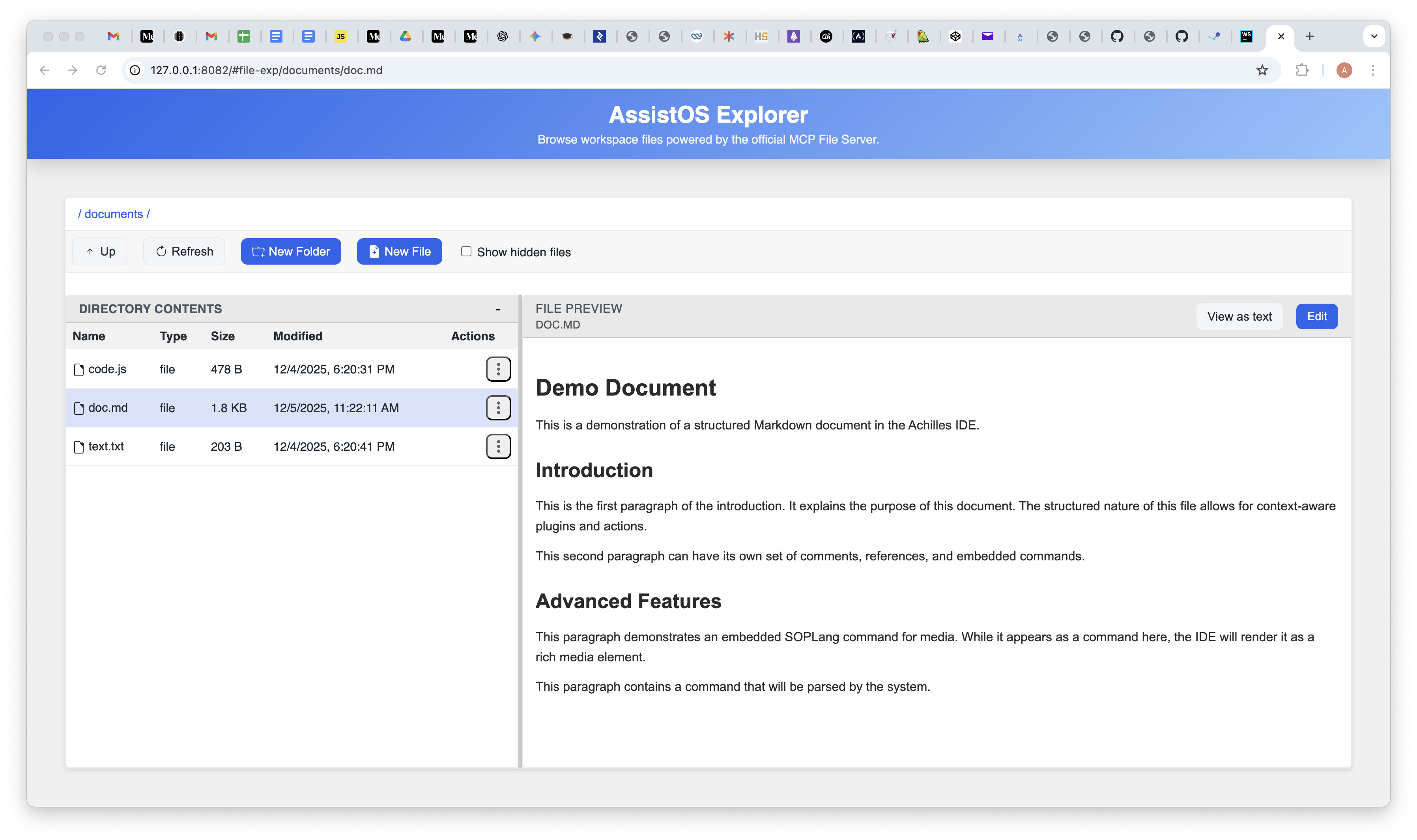
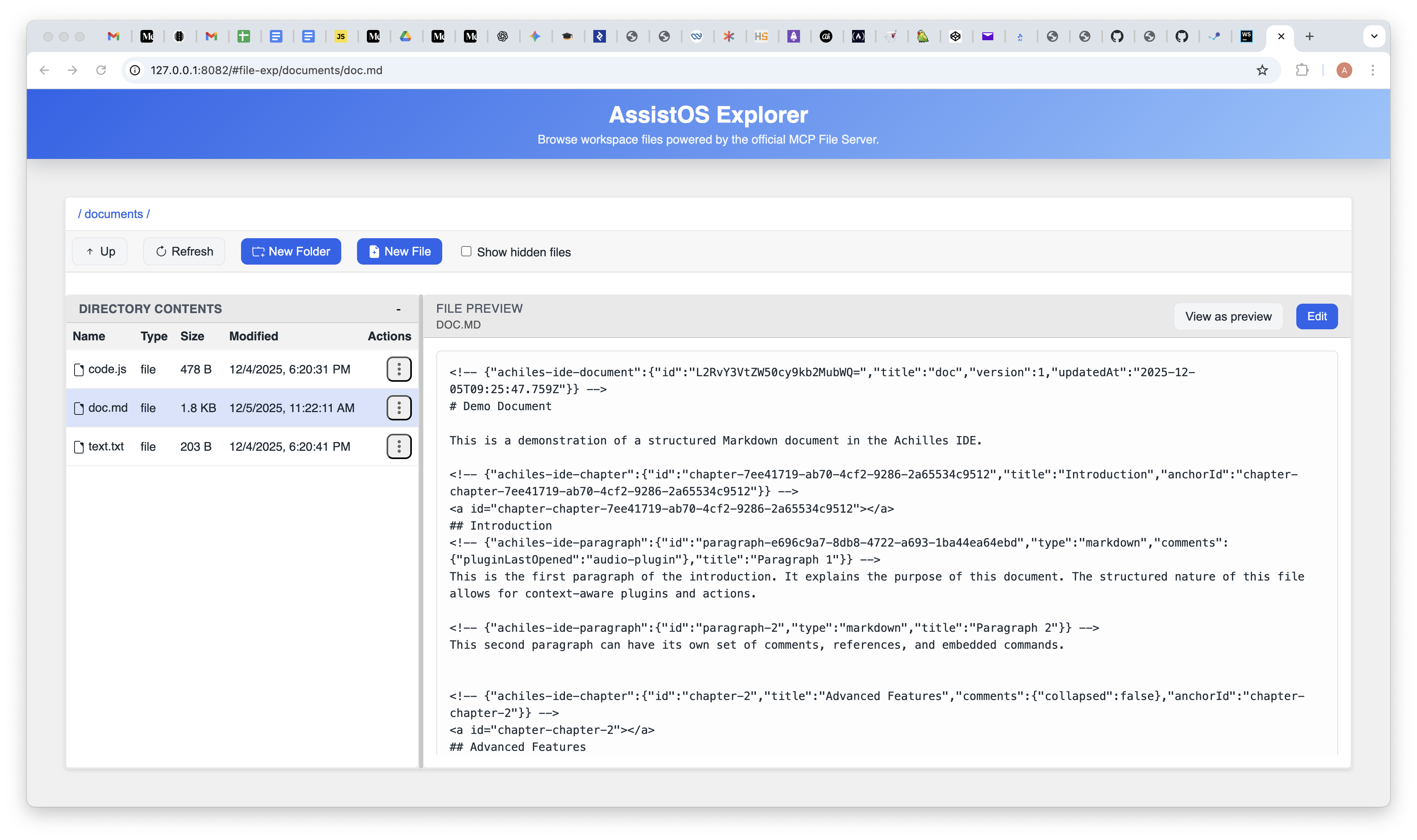
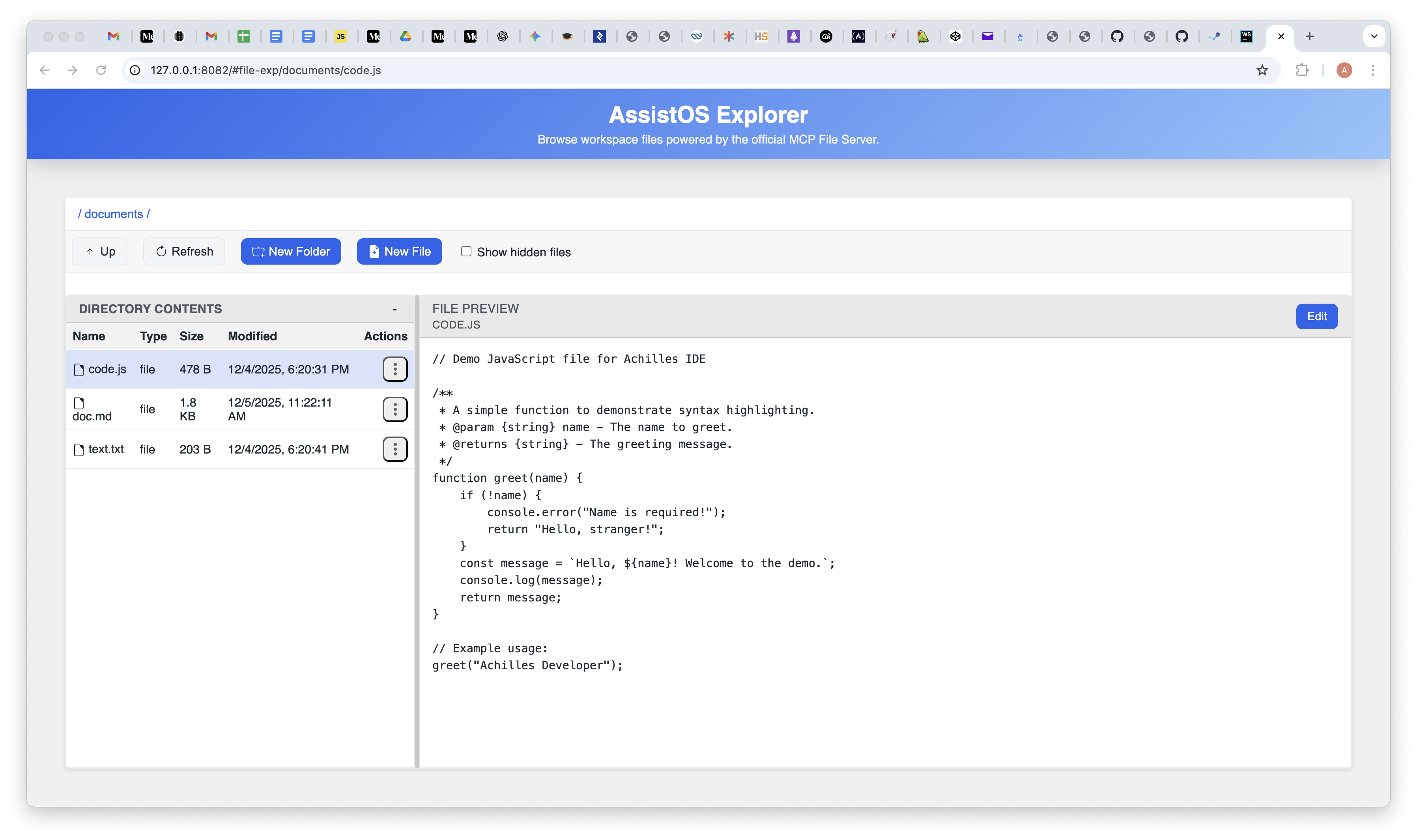
These screenshots show the main interaction regimes that make Explorer broader than a plain file browser: Markdown preview and editing, structured SOPLang document work, mixed preview/text flows, and general code editing in the same shell.