Backend (MCP Explorer + SOPLang)
The Explorer backend is not a single service with one narrow responsibility. It is the combined runtime surface that lets the workspace UI touch disk safely, discover plugins, and hand off document automation to the dedicated SOPLang runtime without collapsing those concerns into one process. The practical problem is straightforward: the UI needs controlled access to the workspace filesystem, while structured document automation needs its own execution environment and state model. Treating both as one undifferentiated backend would blur ownership and make both the filesystem layer and the build layer harder to reason about.
The implemented split keeps those responsibilities separate. Explorer serves the filesystem-facing MCP backend from its own container, while soplangAgent runs the SOPLang execution and build logic in a separate container. Both mount the same workspace, but neither acts as a hidden transport layer for the other. This page focuses on that boundary: what remains in the Explorer backend, what moves into soplangAgent, and how those two surfaces behave in practice.
Filesystem MCP
MCP, the Model Context Protocol, is the contract Explorer uses to expose filesystem-safe operations to the browser and to other agents. In Explorer, that MCP surface lives in filesystem-http-server.mjs and is reachable on /mcp, with /health used as the basic readiness check. The important architectural point is not just that the server exposes tools, but that every filesystem call is mediated by an allowed-roots model before it touches the workspace.
Allowed roots are derived from ASSISTOS_FS_ROOT or MCP_FS_ROOT. Relative paths are resolved inside the first allowed root, then normalized and validated before execution. That means the browser can request reads, writes, moves, copies, searches, and directory traversal without gaining unconstrained access to the host filesystem. Violations are surfaced as MCP errors rather than being silently coerced into risky behavior.
The Explorer backend also does more than proxy a stock filesystem server. It serves the frontend assets directly, aggregates plugin manifests from enabled agent or repo-local plugin folders, and returns the merged plugin catalog to the browser, where the applicationPlugins policy is then applied for application-category plugins. In the same runtime, Explorer wraps @modelcontextprotocol/server-filesystem and adds path enforcement through functions such as resolvePathsInArgs, keeping tool calls inside the whitelisted workspace roots.
Operationally, the filesystem MCP surface covers several capability groups rather than one giant undifferentiated tool list. It supports text and media reads, atomic writes and edits, directory listing and traversal, move/copy/delete operations within the allowed roots, metadata and content searches, and plugin-catalog introspection through collect_ide_plugins. Calls remain stateless from the client point of view: the client sends a path and arguments, and the backend validates the request against the configured roots on every call.
For the current Explorer-owned tool list, use the dedicated Explorer MCP tools reference.
Blob handling follows a related but separate router convention. In the Ploinky model, the router can proxy /blobs/<agent> to an agent that implements blob handlers and returns JSON describing the stored payload. Explorer and soplangAgent can participate in that convention when wired appropriately, but the shipped filesystem-http-server.mjs does not itself implement the blob endpoint. That distinction matters because the filesystem MCP server and blob-capable agent behavior are related runtime concerns, not the same server contract.
A representative MCP request looks like this:
// Request (read a file head)
{
  "method": "read_text_file",
  "params": { "path": "README.md", "head": 20 }
}

// Response (success)
{
  "content": "# Explorer Agent...",
  "truncated": true
}

// Response (error outside roots)
{
  "error": "Path is outside allowed directories"
}
Tip: prefer relative paths rooted in the first allowed directory to avoid ambiguity when multiple roots are configured.
SOPLang Runtime
SOPLang is the automation and document-build runtime of the IDE, but it does not execute inside the Explorer backend. It runs in soplangAgent, which shares the workspace mount with Explorer and is called directly through explicit MCP tools such as sync_markdown_documents and execute_workspace_build. This separation is deliberate: Explorer remains the host shell, while SOPLang owns execution, variable state, and build orchestration.
In day-to-day use, SOPLang is available for documents that opt into structured behavior rather than being forced onto every Markdown file. Commands can live in fenced soplang blocks or inside the structured Markdown comment markers used by the document model. Variables such as @set releaseVersion "1.4.0" become part of the document-side state when the user opens SOPLang tag editing, and execution can mutate them so that a reload re-hydrates the updated values back into the structured UI. Ordinary Markdown source editing stays in Explorer's Markdown editor and saves the file directly.
The synchronization and build pipeline follows that same model. During syncMarkdownDocuments, SOPLang parses achilles-ide-document, achilles-ide-chapter, and achilles-ide-paragraph markers, reads embedded commands and variable assignments, rebuilds the structured document templates, reapplies metadata, chapters, paragraphs, references, and commands, and then persists the result through workspace.forceSave(). The full build step remains separate through executeWorkspaceBuild, which runs the broader workspace.buildAll() path when that heavier operation is needed.
For the agent-owned operational contract behind these actions, continue to the SOPLang Agent documentation and its MCP tools reference.
That runtime model is what lets structured document editing, automation, and AI-assisted flows share one state graph when a document needs those capabilities. Commands embedded in Markdown are preserved with the document. SOPLang execution can update variables between runs. Explorer then re-hydrates the current state into the structured UI. The user is not switching to a different storage model for automation; the same workspace content is serving both authoring and execution.
Examples of embedded structure and commands look like this:
```soplang
# This is a SOPLang script
agent "MyAgent" do
  action "do_something"
end
```

<!--{"achilles-ide-document": {"id": "doc-1", "title": "My Doc"}}-->
<!--{"achilles-ide-chapter": {"title": "Intro", "commands": "@set title \"Intro\""}}-->
<!--{"achilles-ide-paragraph": {"title": "P1", "commands": "@media_image_123 attach id \"blob-id\""}}-->

@set releaseVersion "1.4.0"
@set doc_owner "alice@example.com"
@media_image_hero attach id "blob-id-123" name "hero.png"
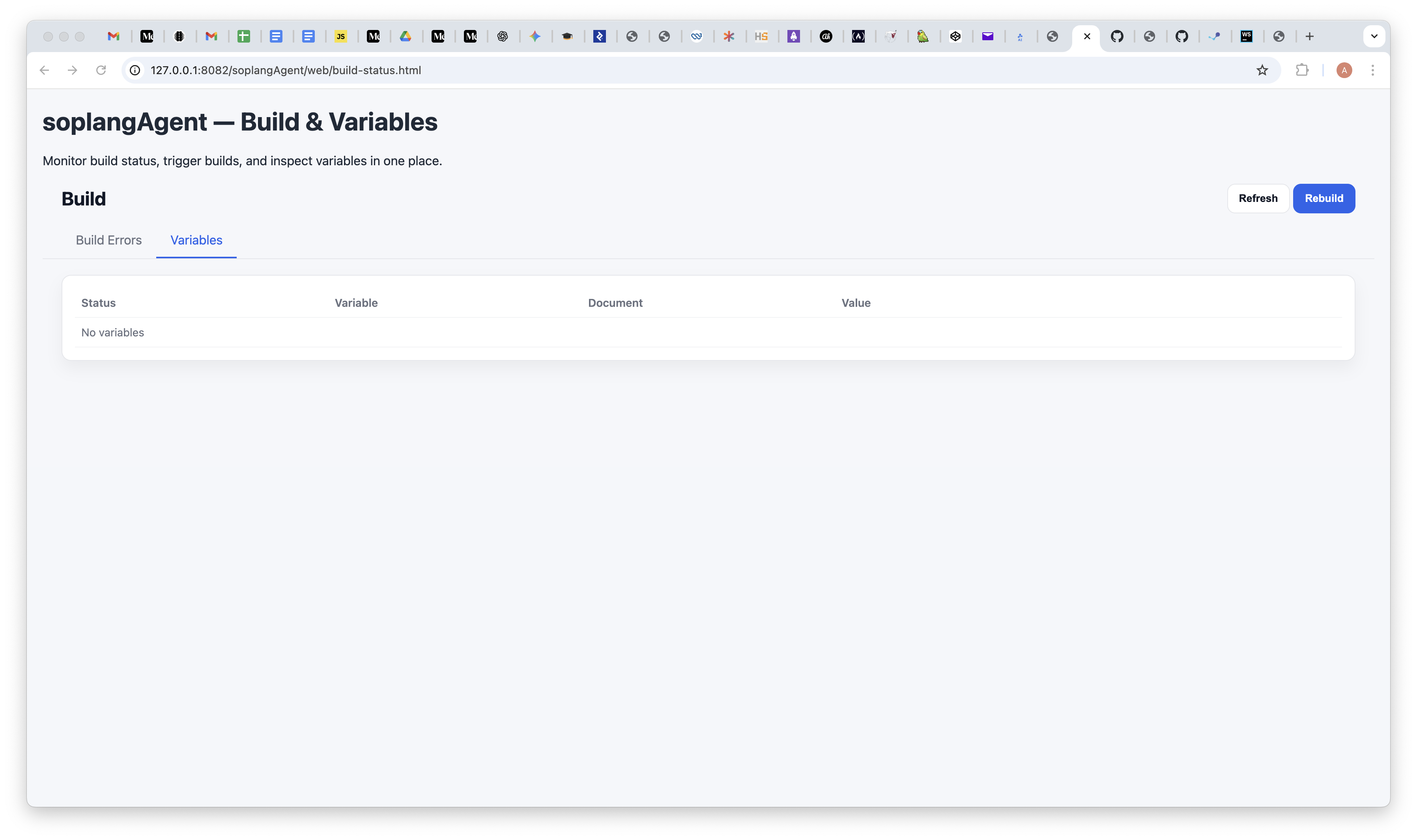
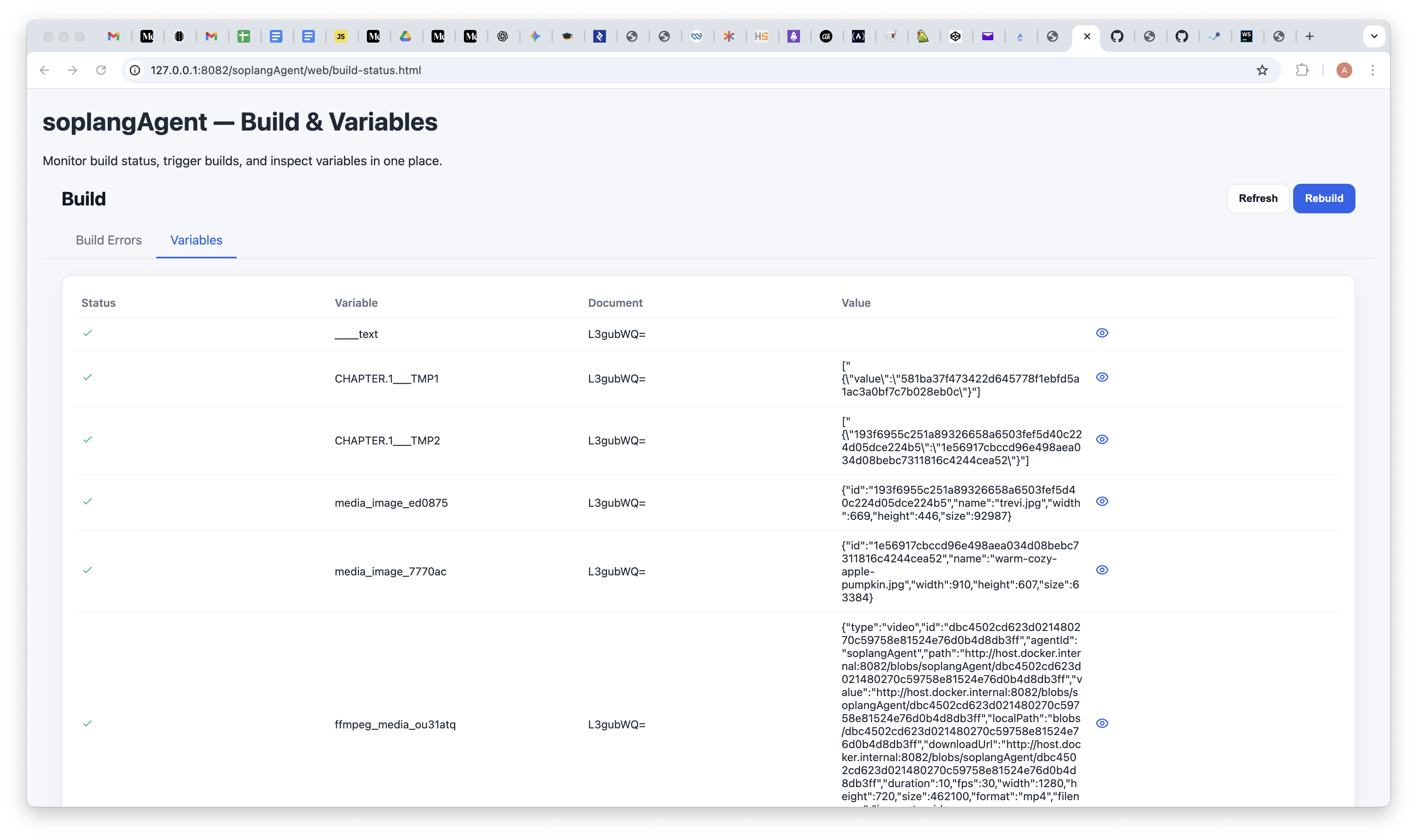
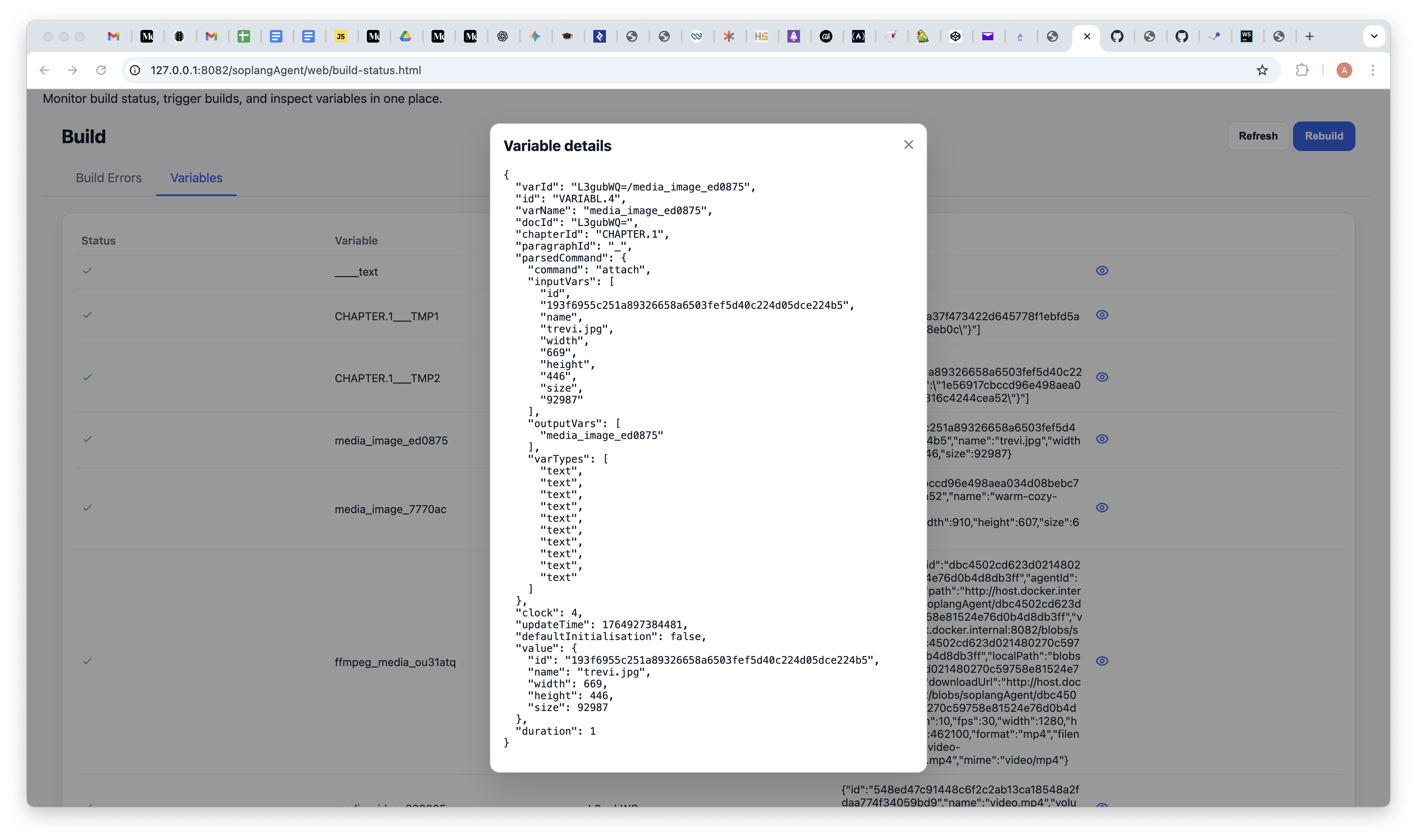
From the UI, Explorer exposes run controls that delegate execution to soplangAgent. Outputs appear in the IDE console, while variable and command changes are reflected back into the document model after reload. The screenshots below show the variables panel as rendered in the UI: empty state, populated list, and a single variable detail view.
Variables UI
Invoke via MCP: methodName: "syncMarkdownDocuments", pluginName:
"SoplangBuilder" for sync, and methodName: "executeWorkspaceBuild" for the full build step. Logs: SOPLangBuilder/last-tool.log.
Operational Notes
Most backend failures reduce to a few repeatable diagnostics. If MCP reports “Path outside allowed roots”, verify ASSISTOS_FS_ROOT or MCP_FS_ROOT and make sure the requested path is inside the first allowed root. If SOPLang synchronization or build fails, inspect SOPLangBuilder/last-tool.log and confirm that soplangAgent is enabled and running. If Markdown content is not being picked up by the synchronization pass, check that the achilles-ide-* markers are present and that the files are not inside skipped build directories. If variables appear stale after execution, reload so the document state can be re-hydrated into the UI.
From a development perspective, the most important thing is to keep the two runtime surfaces conceptually separate while debugging. Filesystem path problems belong to the Explorer MCP layer. Script execution, variable graph issues, and Markdown synchronization problems belong to the SOPLang runtime. Both operate over the same workspace, but they fail for different reasons and should be documented and debugged as different backend regimes.